 Nosso colega Jorge Paes resolveu entrevistar este que escreve esta mensagem... o resultado desse encontro você pode conferir no blog do Jorge Paes.

March 20, 2008
Prblanco responde
Nosso colega Jorge Paes resolveu entrevistar este que escreve esta mensagem... o resultado desse encontro você pode conferir no blog do Jorge Paes.

March 19, 2008
Downloads misteriosos
Olá,Notei que alguns se interessaram pelo "Performance Calculator" que está na nossa seção de downloads. É uma pequena ferramenta que construí em Excel para construir arquivos de performance usados pelo GP4. Você entra com os tempos de volta dos pilotos (e alguns outros dados) e obtém um arquivo que tenta reproduzir no jogo as diferenças relativas entre os pilotos.
Hoje adicionei mais um download maluco, que é o "Sunlight Calculator". Este calcula a posição dos raios solares para uma pista nova baseado na hora, dia, mês e alguns valores insanos. Embora não tenha a pretensão de ser 100% preciso, usei-o na Sakhir do Gildoorf e fiquei bem satisfeito com os resultados.
Agora pelo menos vão saber o que estão baixando...
 Hi,
Hi,I noticed some people were interested about the "Performance Calculator" that is in our downloads section. It's a little tool that I built on MS Excel to create performance files for GP4. You put the lap times of the drivers (and some other data) and get a file that tries to recreate ingame the differences among the drivers.
Today I added another crazy download, which is "Sunlight Calculator". This calculate the sunlight position for new tracks based on hour, day, month and some insane numbers. While it's not meant to be 100% accurate, I used it in Gildoorf's Sakhir and got pretty satisfied with the results.
Now at least you'll know what you're downloading...
March 13, 2008
Passo-a-passo: posicionando a entrada do pitlane
Este é o primeiro de uma série (espero!) de pequenos tutoriais que irão cobrir alguns itens da edição de pistas. Estes vêm como uma resposta a perguntas frequentemente questionadas a nós! Devido à grande quantidade de texto, as versões em português em inglês virão em mensagens separadas para facilitar a busca posteriormente. Então aí vai, o tópico de hoje é "Posicionando a Entrada do Pitlane".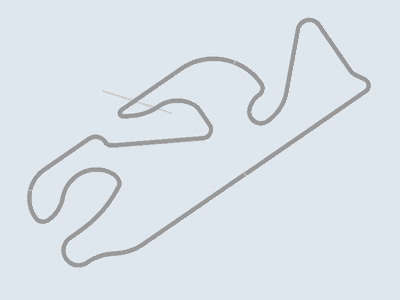
Passo 1 - Digamos que você está construindo uma pista do zero, real ou fictícia, que não é baseada em um traçado existente. É praticamente certo que a entrada do pitlane não estará onde você quer, se estivesse seria algo como achar a galinha dos ovos de ouro. Então vamos colocá-lo no lugar.
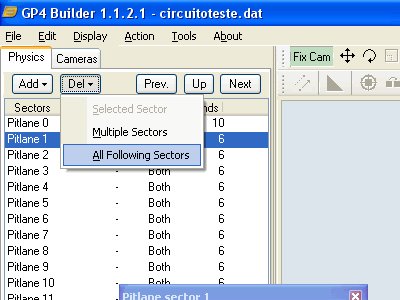
Passo 2 - Primeiro, é mais fácil trabalhar com um pitlane curto. Os setores existentes não serão de muita serventia mesmo. Na aba Physics, dê um clique duplo em Pit Lane Sectors, selecione Pitlane 1, então Del, All Following Sectors. Isto lhe deixará somente com os dois primeiros setores do pitlane.
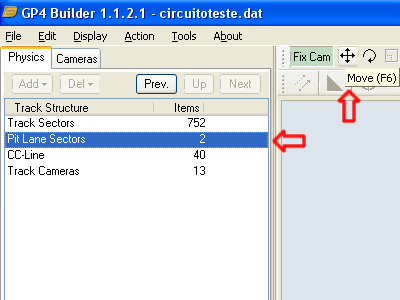
Passo 3 - Agora, clique em Up, Pit Lane Sectors e selecione a ferramenta Move, como na figura. Com isso, você pode mover o pitlane pela tela usando o botão esquerdo do mouse. Com o botão direito é possível mover o pitlane verticalmente.
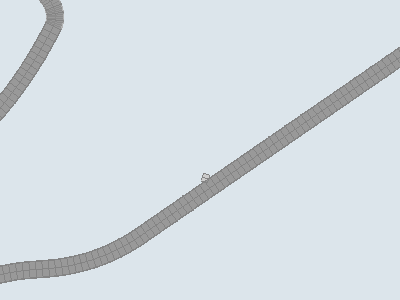
Passo 4 - Mova os setores do pitlane para sua posição apropriada. Esta deve ser pelo menos 5 setores de onde o pitlane realmente começa a deixar a pista e, se possível em uma reta, mas não se preocupe muito com isso nesse momento.
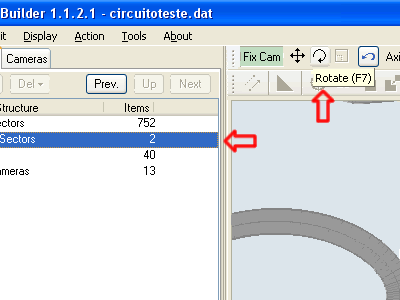
Passo 5 - Provavelmente o pitlane não estará orientado na mesma direção da pista. Então use a ferramenta Rotate junto com o mouse para girar o pitlane.
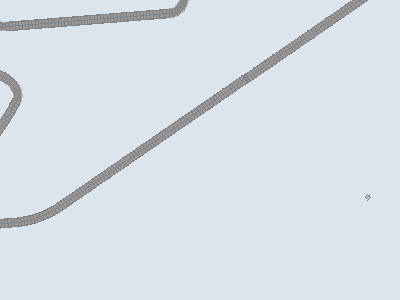
Passo 6 - Esta parte exige um pouco de atenção, pois como o pitlane gira ao redor do centro de coordenadas, muito provavelmente ele irá fugir do lugar que você tinha colocado antes. Apenas continue girando até achar que está na orientação correta, então use a ferramenta Move e coloque-o de volta no lugar desejado.
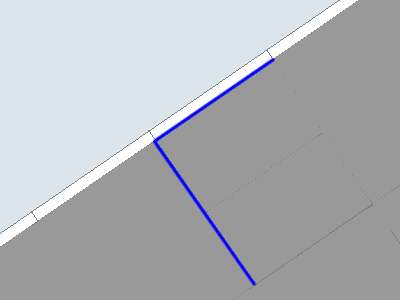
Passo 7 - Alterne entre mover e girar até conseguir alinhar os primeiros setores com a pista, de acordo com as linhas azuis na figura. Se conseguir encaixar o pitlane e a pista nestes dois pontos, acabou. Nesta figura, o setor de pitlane "zero" está à esquerda e o setor "um" à direita.
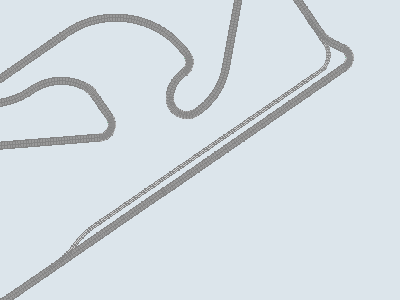
Passo 8 - Agora que está no lugar certo, apenas crie o resto do pitlane como faria com a pista. Tome cuidado na hora de alinhar a saída, neste caso mover os setores não é recomendado, ao invés disso construa-os de maneira que encontrem a pista de forma suave, sem a necessidade de movê-los manualmente.
É isso por enquanto!
Step-by-step: positioning pitlane entrance
This is a new in a series (hopefully!) of small tutorials that will cover some items of track editing. These come as an answer to some frequently asked questions to us! Due to the large amount of text, english and portuguese versions will come in separate messages for easier searching later. So here it comes, today's topic is "Positioning Pitlane Entrance"Step 1 - Let's say you are building a track from scratch, either a real one or a fictional one, that is not based on one existing track layout. Most likely the pitlane entrance will not be where you want it to be, it's more like you found the golden goose if it is at the right spot. So let's put it where it belongs.
Step 2 - First, it is easier to work with a small pitlane. The existing sectors will not be of much use anyway. In the Physics tab, double-click Pit Lane Sectors, select Pitlane 1, then Del, All Following Sectors. This will leave you with just the two first pitlane sectors.
Step 3 - Now, press Up, click Pit Lane Sectors and select the Move tool, as shown in the picture. With this, you can move the pitlane using the left mouse button across the screen. Also, you can move it up and down with the right mouse button.
Step 4 - Move the pitlane sectors to their appropriate position. This should be at least 5 sectors from where the pitlane actually starts to leave the track, and if possible, on straight track sectors, but don't worry too much about this right now.
Step 5 - Most likely the pitlane will not be oriented correcly along the track. So use the Rotate tool together with the mouse to rotate the pitlane.
Step 6 - This is a little tricky part, as the pitlane rotates around the center of coordinates, so it most likely will go away from the place you have put it on before. Just rotate it until you think it's at the right direction, then use the Move tool and put it back in the desired place.
Step 7 - Go between Rotating and Moving until you can align the first sectors with the track, according to the blue lines on the picture. If you can match the pitlane and the track at these two points, it's done. In this picture, the pitlane sector "zero" is on the left and the sector "one" is on the right.
Step 8 - Now it's at the right place, just create the pitlane as you would do with the track. Just take care to make the exit aligned too, and in this case, Moving sectors is strongly discouraged, instead make them so they can meet the track smoothly without the need to Move them manually.
That's it for now!
March 12, 2008
Downloads das pistas
Olá! Gostaríamos de anunciar que disponibilizaremos nossas pistas (prontas e futuras) no endereço f1virtual.4shared.com, além de, possivelmente, trabalhos de outros amigos também. Obviamente, não deixaremos de enviar nossos trabalhos para hospedagem em nossos sites parceiros (links no quadro à direita), apenas estamos criando mais uma opção para os que desejarem baixar nossos trabalhos.Pouco a pouco disponibilizaremos todas as pistas que já lançamos, então aguardem um pouco.
Hi! We'd like to announce that we'll be hosting our GP4 tracks for download (released and future) at f1virtual.4shared.com, and, possibly, works from some close friends too. Obviously, we won't give up on sending our works to our partner sites (links in the box to the right), we're just giving another option for people who'd like to download our works.Little by little our released tracks will be available, so please have a little bit of patience.
March 10, 2008
Estamos quase lá!

 Quase, quase.
E roda bem no jogo, baixa PO.
Almost there...and it runs fine ingame, low PO.
March 09, 2008
Mais Magny-Cours
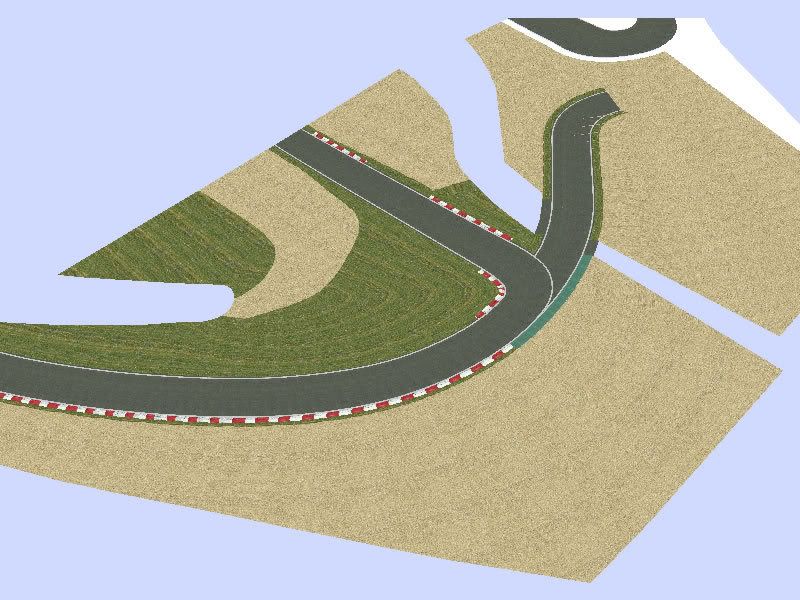
 Mais imagens do progresso da pista de Magny-Cours.More images of Magny-Cours work in progress.
March 07, 2008
Sinal de vida
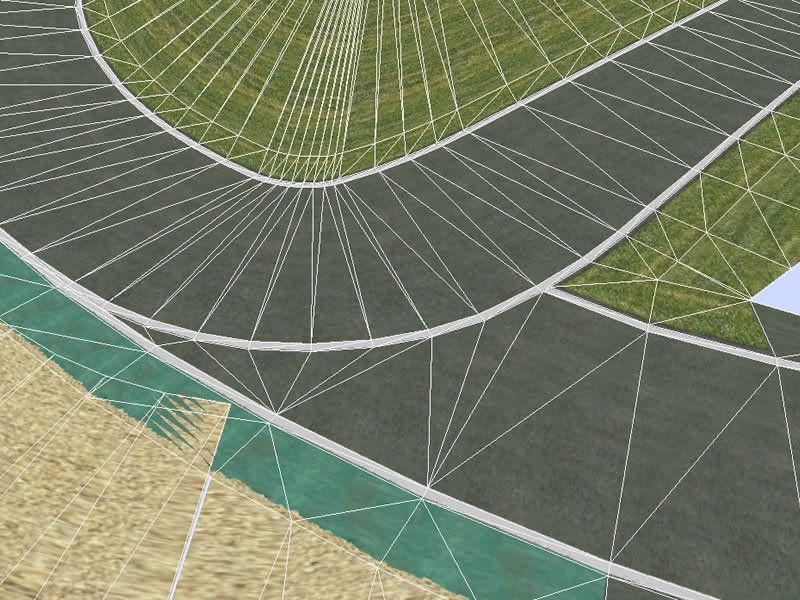
Se houvesse uma categoria "só pra dar sinal de vida", esta mensagem se encaixaria perfeitamente, já que faz três semanas que não escrevo nada sobre algum progresso meu em pistas. E não é pra menos, afinal, de lá pra cá, as aulas recomeçaram, passei horas no Autódromo de Curitiba assistindo ao WTCC e um dia inteiro (terça) dedicado ao show do Iron Maiden! (Inesquecível, aliás.)Não fiquei parado todo esse tempo, inclusive andei testando umas idéias novas que deram errado e tive que descartar! O assunto desta mensagem é a estrutura 3D da curva Chateau d'Eau, em Magny-Cours, onde dois traçados do circuito se encontram. Falta bem pouco para concluir essa parte antes de partir para a do outro lado (da curva Adelaide), que vai ser mais trabalhosa.
Devem ter notado a bandeira da Austrália no quadro à direita. É nosso jeito de mostrar a expectativa pela abertura da temporada 2008 de F1 em Melbourne!
If we had a "just to give a lifesign" category, this message would fit right into it. After all, it's been about three weeks since I last posted about some progress of mine in a track. In the days between, my classes restarted, I spent hours in the Autódromo Internacional de Curitiba watching the WTCC and I dedicated a whole day (tuesday) to Iron Maiden's show! (Unforgettable, by the way).But I didn't stand still this whole time, and even had been testing some new ideas that went wrong and right into the recycle bin! This message's subject is the 3D structure of Chateau d'Eau turn, in Magny-Cours, where two of the track's layouts meet. There is little to do here before doing it all again on the other side (Adelaide turn), which will be harder than this one.
You must have noticed the Australian flag in the right box. It's our way to show how we anticipate the F1 season opening in Melbourne!
March 06, 2008
Arquitetura pouco trivial em Sakhir
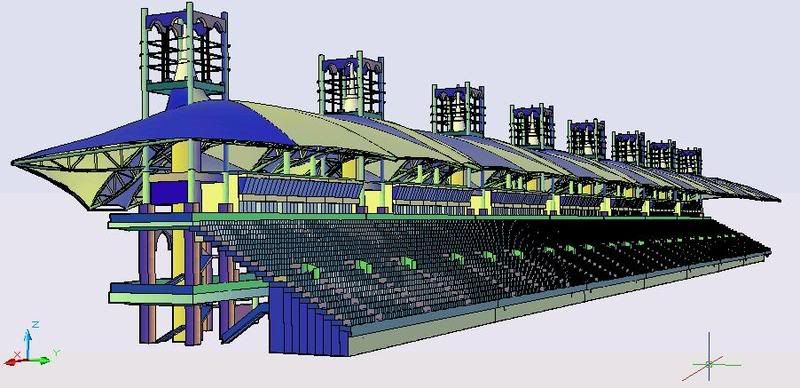

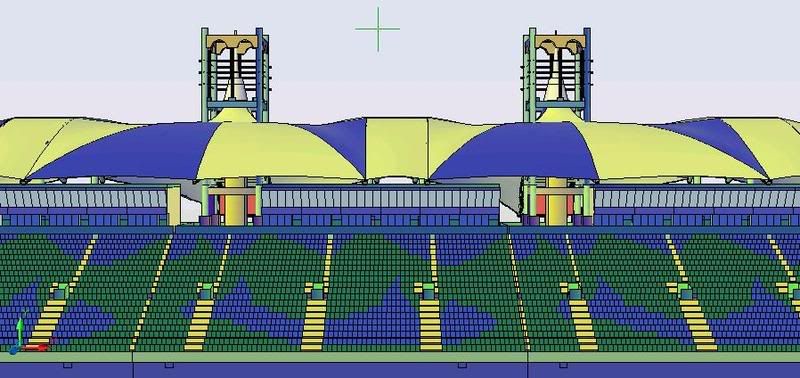 De fato, a arquitetura do Tilke brindou o autódromo com uma bela arquibancada, devidamente inspirada no imaginário construtivo local. Espero que eu esteja próximo de reproduzi-la em toda sua beleza.Tilke´s buildings, inspired on local architecture, crowned sakhir circuit with one of the most beautiful mainstands ever seen. Hopefully I´ll have the guts to bring this one to 3d environment with known beaulty.
March 01, 2008
Visita ao WTCC
Com a 1ª etapa do WTCC 2008 a apenas 15 minutos de ônibus da minha casa, não poderia deixar de comparecer... hoje foi o dia do treino classificatório e passei mais tempo tirando fotos da pista do que dos carros. Tanto que não consegui uma foto boa do curitibano Augusto Farfus Jr., que vai largar da 3ª posição, a melhor posição entre as BMWs. Amanhã estarei lá de novo, esperando uma ótima corrida e fotos melhores também.The 1st round of FIA WTCC is happening only 15 minutes away from my home by bus, so I couldn't help but paying a visit... the qualifying was today and I spent more time photographing the track itself than the cars. That's why I didn't get a good picture from local driver Augusto Farfus Jr., born here in Curitiba, who will start the race from 3rd position, the best grid spot among the BMWs. I'll be there again tomorrow, expecting a great race and better pictures too.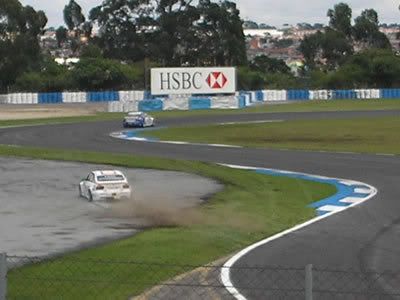
Subscribe to:
Posts (Atom)